Navigation Apps for GPX Routes
Discover how to follow a GPX file on your phone with these top navigation apps for GPS routes.
Navigation Apps for GPX Routes
https://www.contoursrun.co.uk/navigation-apps-for-gpx-routes
by Cass Jenks
Digital navigation once relied heavily on dedicated GPS devices — but these days, all you need is a map app on your smartphone to read our GPX files and navigate along your chosen trail.
Like GPS devices, GPS apps show you exactly where you are on the route in real time. They often calculate the distance, elevation and estimated time ahead, too, and some even allow you to share your adventures with friends and the wider walking community.
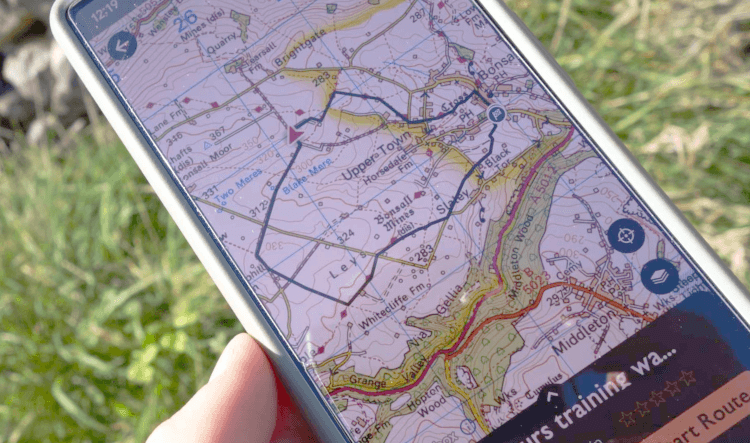
With plenty of options to choose from, read on to find the right navigation app for you, or skip ahead for detailed instructions on how to download the GPX file for your holiday and upload it to your mobile device.
You can trust every navigation app on this list to do a great job of that one critical function: displaying a GPX route so you can follow it across the UK countryside.
Which app appeals to you the most will come down to personal preference, so to help you draw up a shortlist, we've laid out their main strengths, weaknesses, and the extra features they provide.
Download OS Maps: for Android, for iPhone.
Ordnance Survey provide some of the best mapping for outdoorsy wanderers in the UK, so it should be no surprise that their handy OS Maps app is the most popular amongst staff at Contours Holidays.
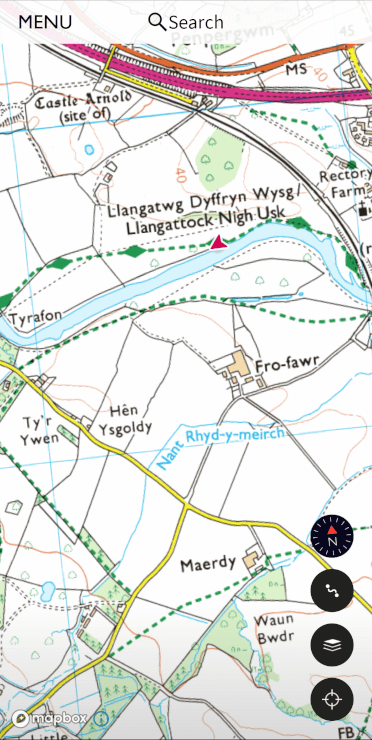
Naturally, the OS app utilises the company’s excellent map data, accurately displaying contours, rights of way, landmarks and useful sites such as museums, pubs, phone boxes and public toilets.
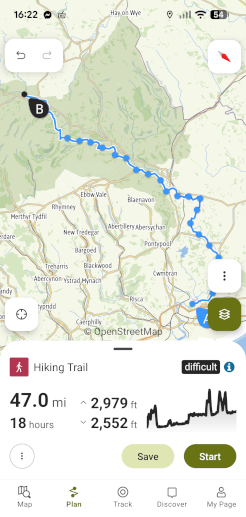
With the GPX route overlaid on those excellent maps, the navigation experience is good. The app reports distance covered and distance to go and shows elevation information, too, so you can better anticipate the pace of your walk.
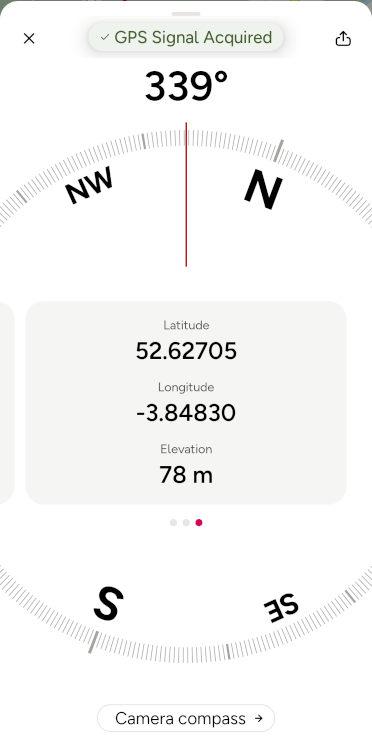
Should you need help on the trail, OS Maps includes OS Locate Me. From the map screen, tap the three dots in the upper-right-hand corner and tap Locate Me. This feature produces your co-ordinates so we (or Mountain Rescue) can better find you on the trail.
When your Contours holiday is over, you can use OS Maps to design your own routes or browse and follow trails shared by other users, although we don’t think its sharing aspect is quite as expansive as the one offered by competitor app Komoot.
A premium subscription to OS Maps is required to upload GPX files, utilise full Ordnance Survey mapping across the country and download maps for offline use.
Note: if you own relatively modern paper Ordnance Survey maps for the area where you’re walking, you should be able to download those maps to the app for offline use at no additional cost by using scratch-revealed codes from their covers — but you still won’t be able to upload GPX files, so even with the map tiles filled in, the free version of this app remains limiting.
As OS Maps’ greatest strengths, in our opinion, are its detailed mapping and excellent Locate Me function, OutdoorActive is its nearest competitor.
While OutdoorActive is not as professionally put together as the OS Maps app, it offers a range of great maps to choose from, including Ordnance Survey Maps, Harvey Maps, OpenStreetMaps and their own fairly detailed offering. If you’re travelling outside the UK, there are international options to choose from, too.
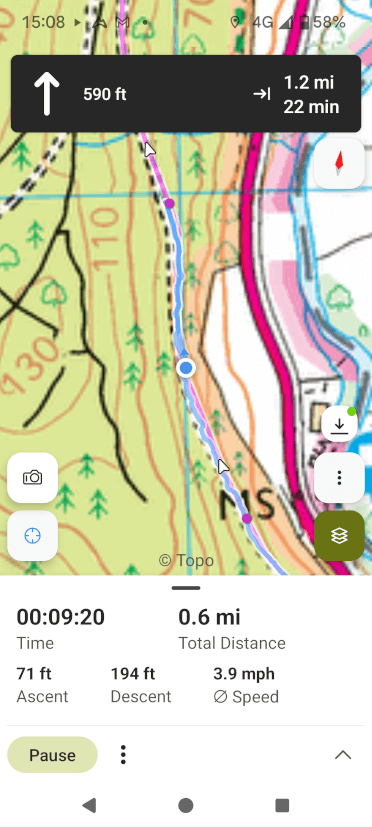
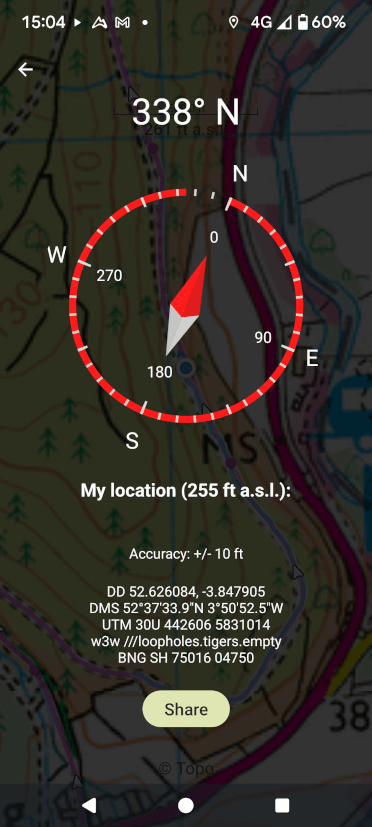
The app’s take on Locate Me is also excellent, giving a compass bearing and offering your location in multiple formats, including the increasingly widely used what3words.
Download OutdoorActive for Android or iPhone.
Download Komoot: for Android, for iPhone.
Komoot is a great social app that provides its own mapping alongside OpenStreetMap options. It’s a solid way to follow a GPS route on your phone and provides useful information such as elevation, surface type and path type. With a premium subscription, Komoot even shows the weather along the trail.
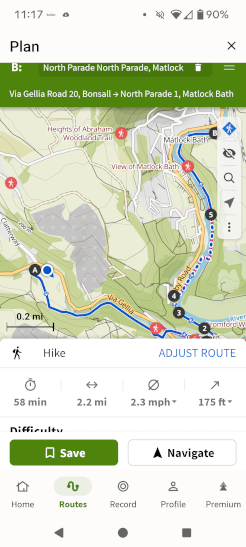
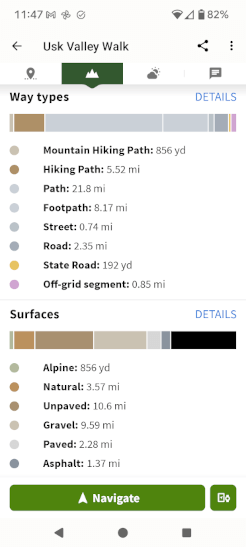
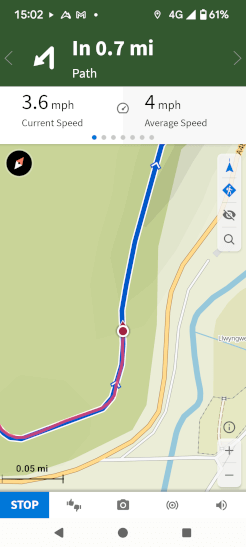
Komoot has great longevity even when your walking holiday is over. It becomes a particularly powerful tool when you’d like to find new day-walk trails to try: users are invited to share and collate their favourite trails, and you can browse and download them to explore at your leisure. These trails are generally better illustrated by Komoot than competitor apps. Additionally, you can plot your own trails through their website.
Although you can upload your routes to the Komoot app with a free account, you’ll need to upgrade to premium to navigate via the app and save your routes for offline use (which is an essential feature in the British wilderness, where mobile signal isn’t guaranteed).
The other navigation app with a signficant social sharing side is AllTrails. Like Komoot, the app allows you to share trails with others. It also offers live sharing, so friends and family members can track your progress in real time.
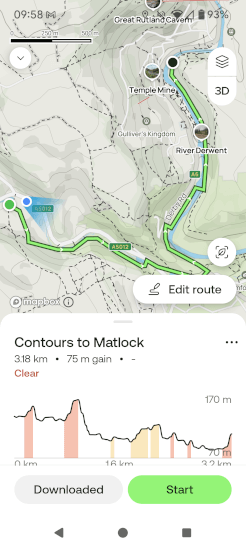
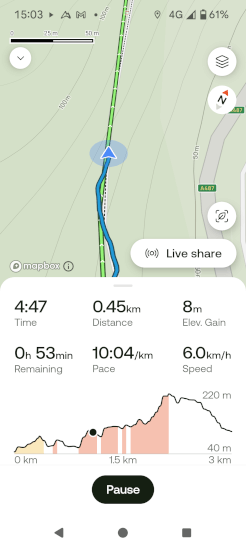
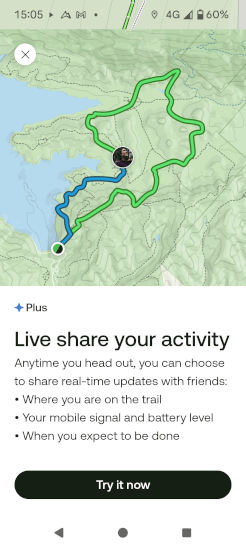
AllTrails is decent for general navigation, with nice clear route profiles showing ascent, but the app is somewhat let down by its limited range of mapping options: there’s no Ordnance Survey or Harvey mapping here.
An interesting perk of a paid AllTrails subscription, however, is the option to print off your route so you have a hard copy with you. While on your Contours Holiday you’ll have a full map with you already, we think this could be a great feature for future day walks.
Download AllTrails on Android and iPhone.
Download: For Android, for iPhone.
Looking to skip any online account-related faff? OsmAnd is a great app that provides navigation without necessitating a login or posting your files online.
OsmAnd allows you to download several large map areas for free and utilises OpenStreetMap data, which is not as detailed as Ordnance Survey mapping but shows points of interest and differentiates between footpaths, bridleways, green lanes and roads. It’s sufficient to follow a GPS route from Contours.
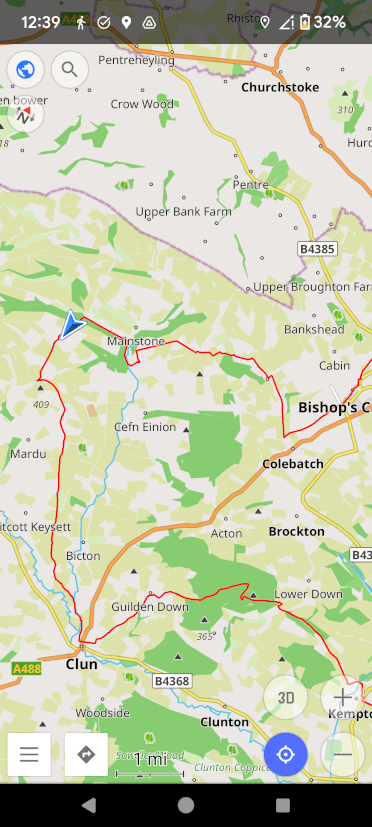
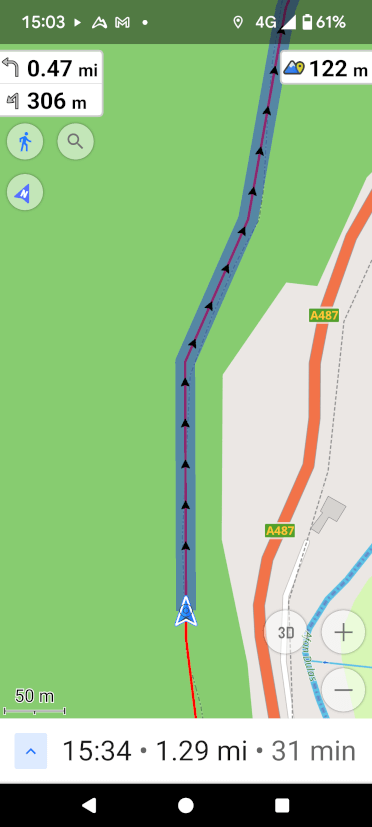
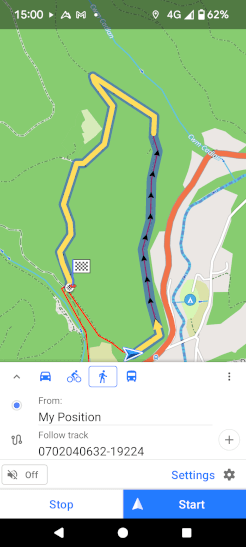
The navigation experience on OsmAnd is not quite as glossy as apps such as OS Maps, but it’s functional and highly customisable. Your GPS track is highlighted clearly on the map ahead, along with the distance to the next turn, impending ascent and distance yet to walk.
OsmAnd does not record each trip like other apps do; this app is focused entirely on navigation.
OsmAnd’s maps are downloaded by area. Android users can download up to seven maps for free, while Apple users get five. An area is usually as large as all of Wales, so for the domestic traveller, it’s not much of a limitation.
For additional maps, topography information and the ability to save your routes to an online account that spans multiple devices, you’ll need to upgrade to the paid version, but the free form of OsmAnd is an excellent way to navigate along a trail.
Contours Holidays provide complete GPX files for all our holidays. Here’s how to download them to your personal device:
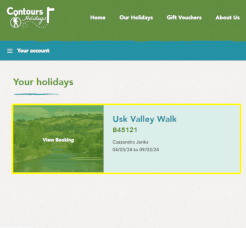

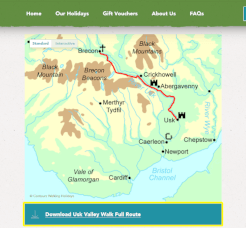
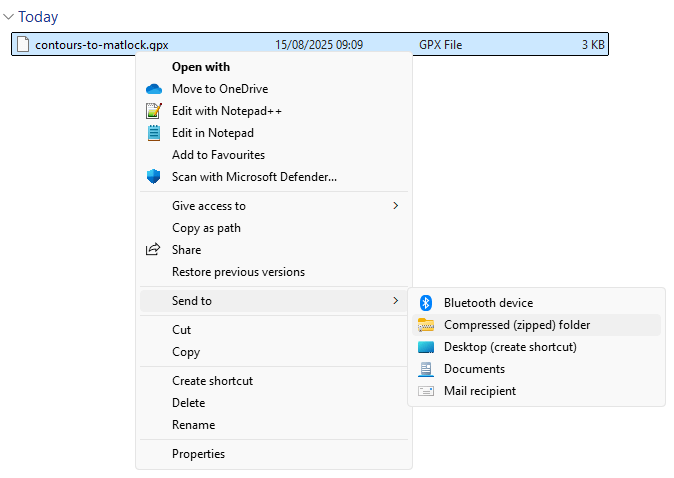
You can download the GPX file for your walk via the mobile device you intend to use for navigation or your computer, but in the latter case, you’ll need to transfer the file to your mobile device afterwards.
For dedicated GPS devices, installation instructions can be found further down the Members Area page.
If you plan to use a GPS app on your phone, the process varies. We’ve outlined the process for several common apps below.

A paid account is required to navigate with AllTrails. You cannot upload a GPX file via the app; this must be done by logging in to AllTrails via your computer.

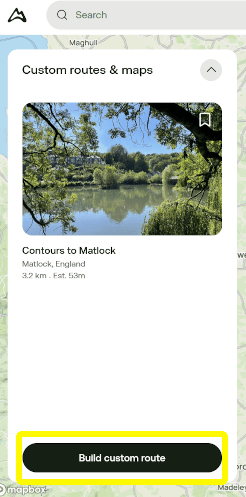
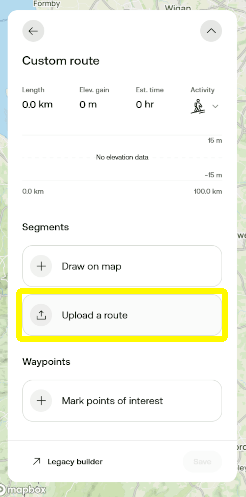
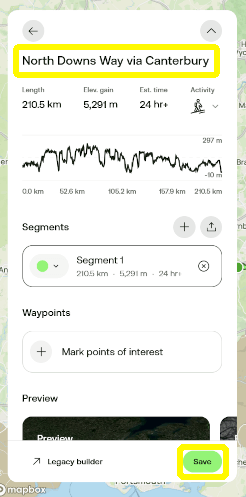

On the device you plan to use while navigating the trail, log in to your premium Komoot account via the app.
.png)
.png)
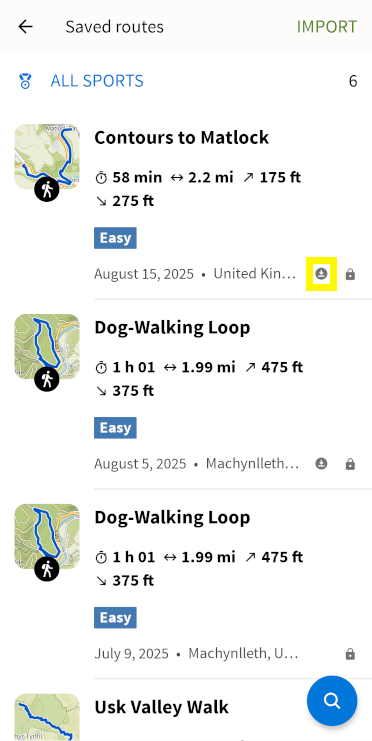
.png)
GPX files can only be uploaded to the free version of OsmAnd through the app directly.
If you subscribe to OsmAnd Pro, you can upload GPX files to your account through the browser version if you desire. OsmAnd’s browser interface mirrors the app exactly, so the steps are all the same once you’ve logged in online.
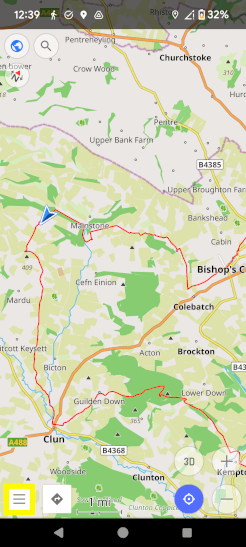
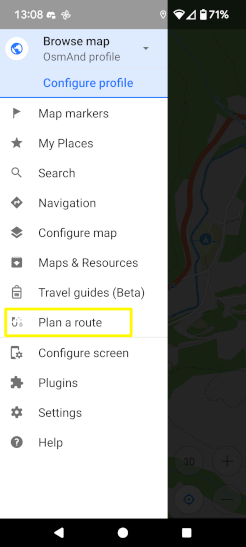
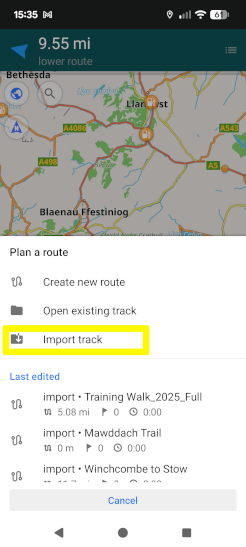
If you’re using the premium version of OsmAnd and uploaded your route via your computer, make sure to log in to your account on the mobile app.
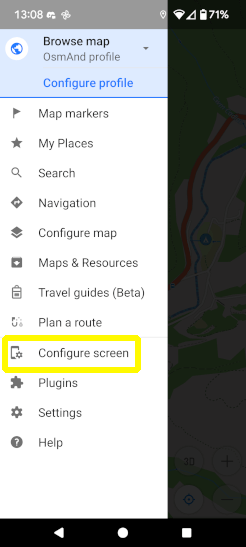
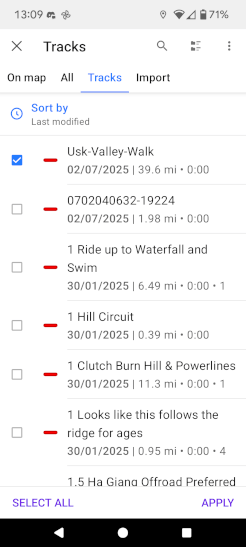
You must have a premium subscription to OS Maps to upload GPX files.
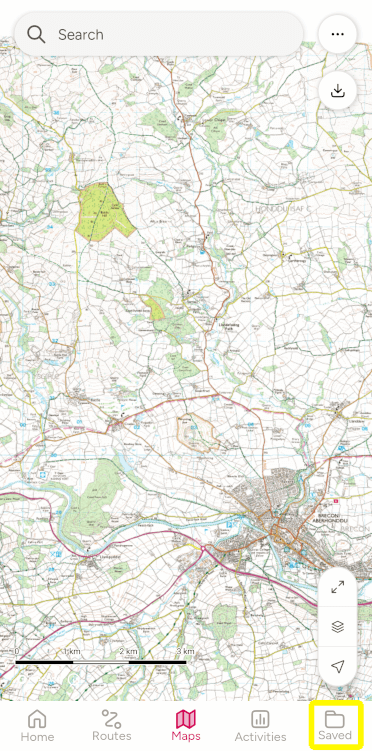
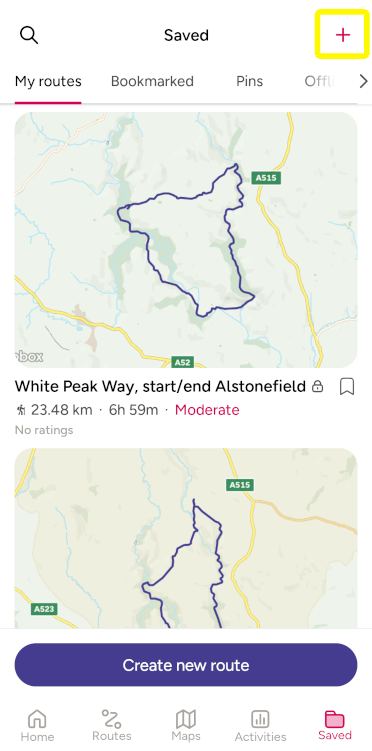
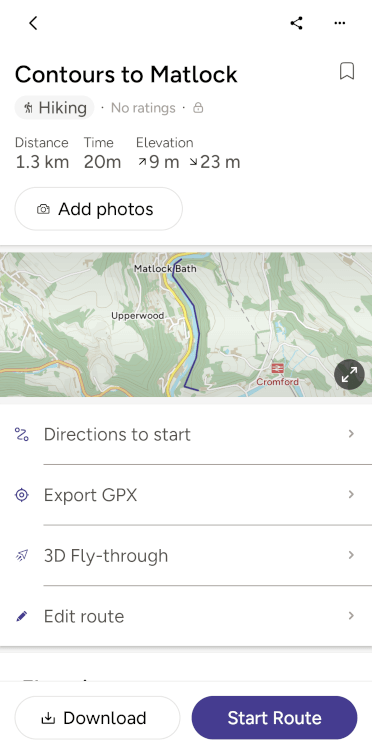
Now that you’ve added the route to your account, following it is straightforward.
Note that if you have mobile data switched on while out on the trail, OS Maps will use it to stream map tiles rather than utilising your pre-downloaded content. In areas with patchy signal, this can lead to a blank screen. To avoid this, toggle off mobile data on your phone while using OS Maps.
You must have a paid subscription to OutdoorActive to view GPX files offline.
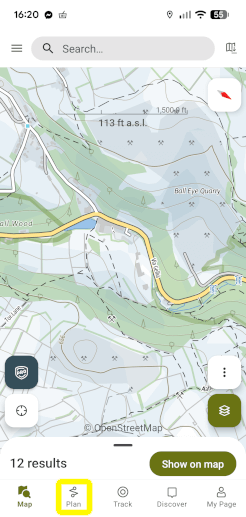
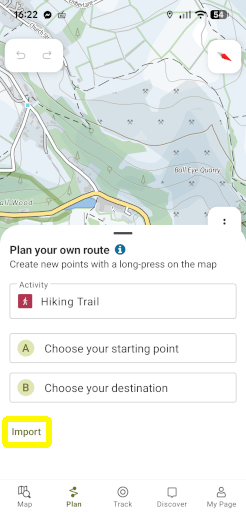
If your preferred app isn’t included on this list, your best bet may be to search the app’s website for detailed instructions on how to upload a GPX file. If that doesn’t work, get in touch and we’ll see about writing up instructions for it.
Similarly, while older apps like OsmAnd don’t tend to change, newer apps like AllTrails frequently revise their interface and may render our guide out of date. We’ll try to stay on top of that, but the official app website is always a great resource if the process has changed.
We hope this post has been informative and helps you get the most out of our digital resources. Just remember that nothing beats a good old map and compass for true reliability out in the countryside. Bring all three and have a great time out there on the trails!


Marketing and Strategy Consultant
Writer, editor and Google-wrangler at Contours Holidays, Cass spends each weekend on the trails, walking the dog or plummeting downhill along Wales’ best mountain biking tracks.